Markdown Linked Data
Part 1 - RDF
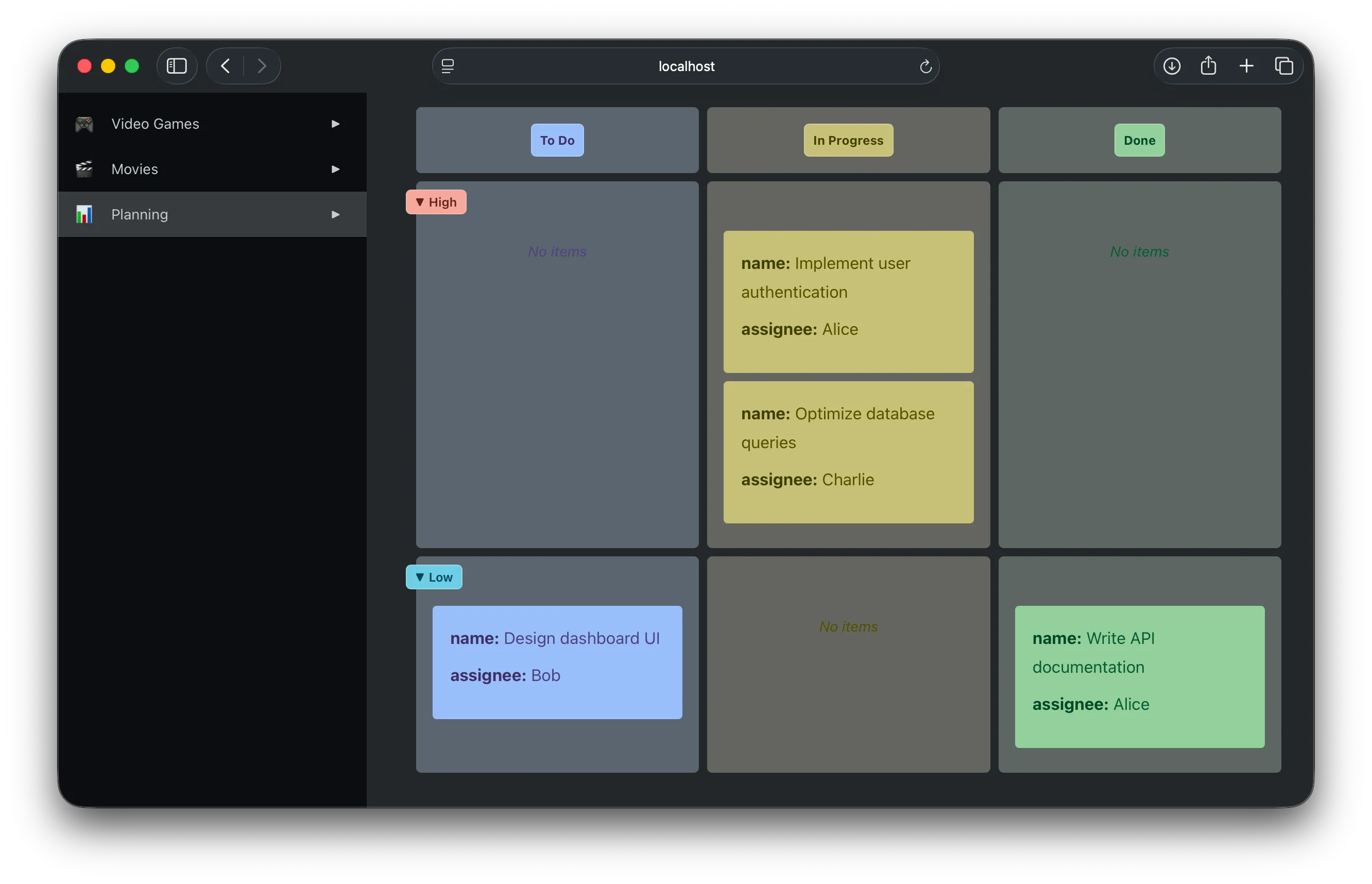
Like project planning boards?
Or maybe you want to keep track of your favorite movies?
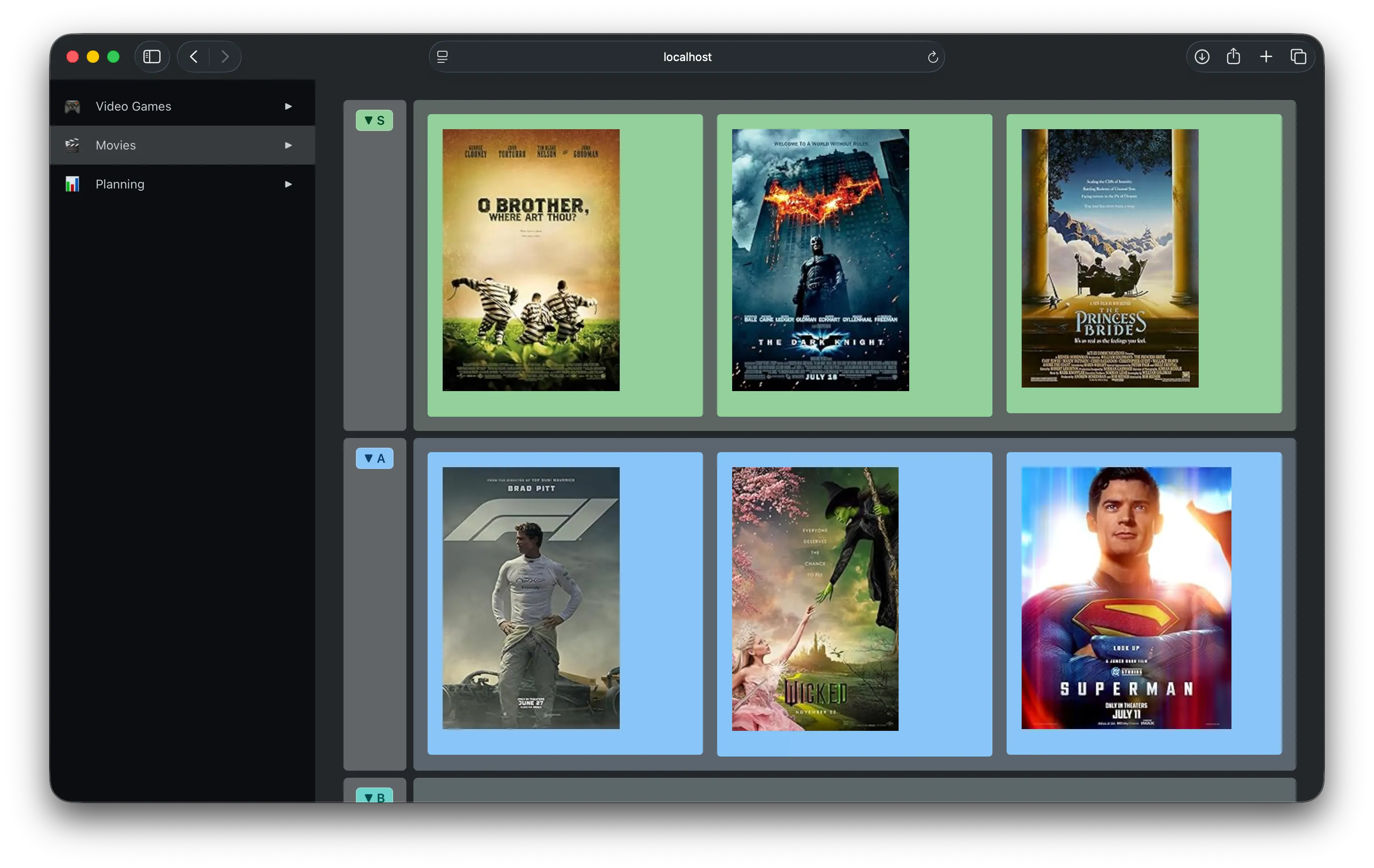
While these examples take some inspiration from other productivity tools, I want to unpack a bit about how these were built using Markdown files with a bit of extra metadata.
This post is going to be a bit dense, but attempts to introduce some of the background concepts that this project is built on. Future posts will delve more into how this all comes together to provide a powerful building block for constructing extensible systems.
Linked Data & RDF
Before getting back to Markdown, I need to take a little detour to talk about Linked Data and RDF. If you’re not familiar with the Resource Description Framework (RDF), you’re not alone. Though it’s been around since ~1997 in the early days of the web, it feels like a lot of its use has been relegated to academia. However, you may still have run across tags like this in a webpage:
<html prefix="og: https://ogp.me/ns#">
<meta property="og:title" content="The Rock">
<meta property="og:type" content="video.movie">
<meta property="og:url" content="https://www.imdb.com/title/tt0117500/">
<meta property="og:image" content="https://ia.media-imdb.com/images/rock.jpg">
Still not? Bear with me a moment to give a brief primer on Open Graph, one of the more widespread uses of RDF I’m aware of. The example above comes from the Open Graph site, describing a version of the IMDB page for “The Rock”. This is how sites like Facebook, LinkedIn, and others determine how to show link previews, like this one from Discord:
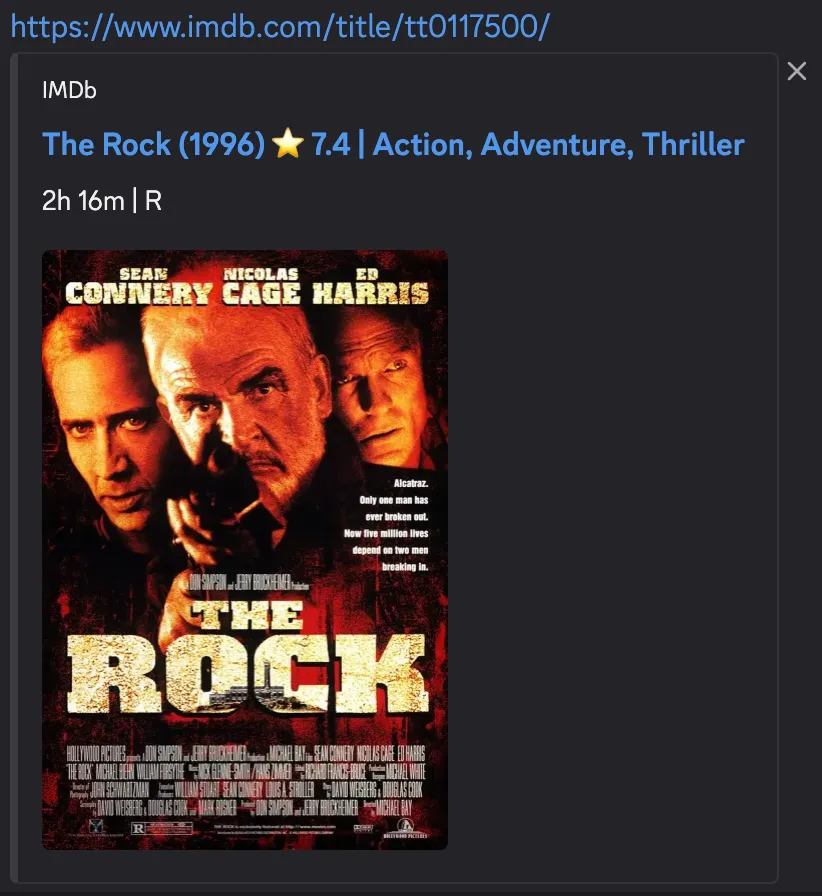
So, the cover image shown comes from this tag:
<meta property="og:image" content="https://ia.media-imdb.com/images/rock.jpg">The og: in the name is defined as a “prefix” here to provide a shorthand for the full URL where the Open Graph terminology is defined:
<html prefix="og: https://ogp.me/ns#">Ok, but couldn’t they just have called it “image”? Yes, but then if other conventions also wanted to specify an “image” property? Whose definition of “image” are we going by? By using a URL as the “namespace” we avoid that ambiguity around which “image”, it’s explicitly the Open Graph “image”, and we could use another namespace like “xyz:image” for a different purpose without them colliding.
RDF Formats
One of the reasons it can get a little hard to describe RDF is that it’s not just one format, but a whole family of ways to express this kind of data. The Open Graph example uses RDFa to embed RDF information in HTML. Alternatively we can express that same data in JSON using the JSON-LD format:
{
  "@context": {"og": "https://ogp.me/ns#"},
  "og:title": "The Rock",
  "og:type": "video.movie",
  "og:url": "https://www.imdb.com/title/tt0117500/",
  "og:image": "https://ia.media-imdb.com/images/rock.jpg"
}
The “LD” in JSON-LD stands for Linked Data, which is basically just a term to describe using RDF to link between resources on the web.
Hopefully it’s not too hard to see that this is describing the same set of properties, and using namespaces like in the original example, just in a different format.
In Markdown
Markdown files have their own convention for storing metadata at the start of the file called “frontmatter”. We could include the JSON-LD example above like:
---
{
  "@context": {"og": "https://ogp.me/ns#"},
  "og:title": "The Rock",
  "og:type": "video.movie",
  "og:url": "https://www.imdb.com/title/tt0117500/",
  "og:image": "https://ia.media-imdb.com/images/rock.jpg"
}
---
# My document
Though more specifically, Markdown files typically expect frontmatter to be in YAML. Since the YAML format builds on JSON, the above is valid, though we can rewrite it more compactly as:
---
'@context':
  og: 'https://ogp.me/ns#'
og:title: The Rock
og:type: video.movie
og:url: 'https://www.imdb.com/title/tt0117500/'
og:image: 'https://ia.media-imdb.com/images/rock.jpg'
---
# My document
This combination is what I’m proposing as “Markdown Linked Data”.
Ok, but…why?
While I could have built something similar with basic YAML properties, using RDF and Linked Data presents some interesting opportunities.
One big one is the ability to use SPARQL to query the data stored in these Markdown files. By exposing the Markdown frontmatter as RDF, this query is used to generate the task planning board in the intro:
PREFIX schema: <http://schema.org/>
PREFIX ex: <http://example.org/>

SELECT ?task ?name ?status ?priority ?assignee
WHERE {
  ?task a ex:Task ;
        schema:name ?name ;
        ex:status ?status .
  OPTIONAL { ?task ex:assignee ?assignee }
  OPTIONAL { ?task ex:priority ?priority }
}
The “Linked Data” aspect comes in when linking entries like the movie reviews to sources like DBpedia and Wikidata. Using SPARQL enables us to follow links and query data directly from these external resources.
Wrapping up
This post is mostly a terminology dump to establish some background on technologies that are established standards, but maybe not familiar to the broader audience.
Markdown Linked Data is a way provide a simple fusion of these existing concepts:
- Markdown YAML frontmatter
- JSON-LD
- and SPARQL
But this combination ends up being quite powerful for building a personal data platform. Writing in simple Markdown files, using queries to aggregate and present that data, and link it to external sources.
In a future post I’ll get more into the specifics of this system and how this all comes together.